

IPS Camera Calibration
The IPS projects the LEDs it detects in the camera image onto the lab floor. For this it needs the intrinsic
parameters of the camera (focal length, principal point, lens distortion) and the pose of the camera above the floor.
Both are computed with the cpm_calibrate command of the package cpm_lab_ips_calibration from images of a
checkerboard lying on the lab floor. It needs no running ROS nodes and is installed with the Debian packages and the
desktop image.
Recalibrate the camera whenever it was moved, its lens or focus was changed, or the IPS positions drift.
The Checkerboard
The default board has 39 x 44 inner corners (40 x 45 squares) with 10 cm squares, i.e. about 4.0 x 4.5 m, and
covers the track. Another board works as well; pass its size with --checkerboard and --square-size. The board
must be flat, with sharp corners and a white border around the squares.
The board defines the coordinate system of the IPS: the origin is the outer corner of the board, the first inner
corner is at (0.1, 0.1, 0), and the IPS projects onto the board plane. Place the board so that this frame matches
the map of your lab (see Lanelet2 Maps), and mark its position on the floor for the next calibration.
The checkerboard lying flat on the track, with its origin corner marked on the floor
Taking the Images
Lay the board flat on the floor in the field of view of the camera. Keep the whole board visible and free of people, cables and reflections.
Take one or more images with the IPS camera, e.g. with the Pylon Viewer (Save Image) at the resolution and focus the IPS uses. Save them as
png,bmp,jpgortif.Use only images of one camera per calibration. All images with a detected board must have the same resolution.
The sample images of the Aachen, Dresden and Munich labs are in the images/ directory of the
cpm_lab_ips_calibration package in the indoor-positioning-system repository. The examples below use
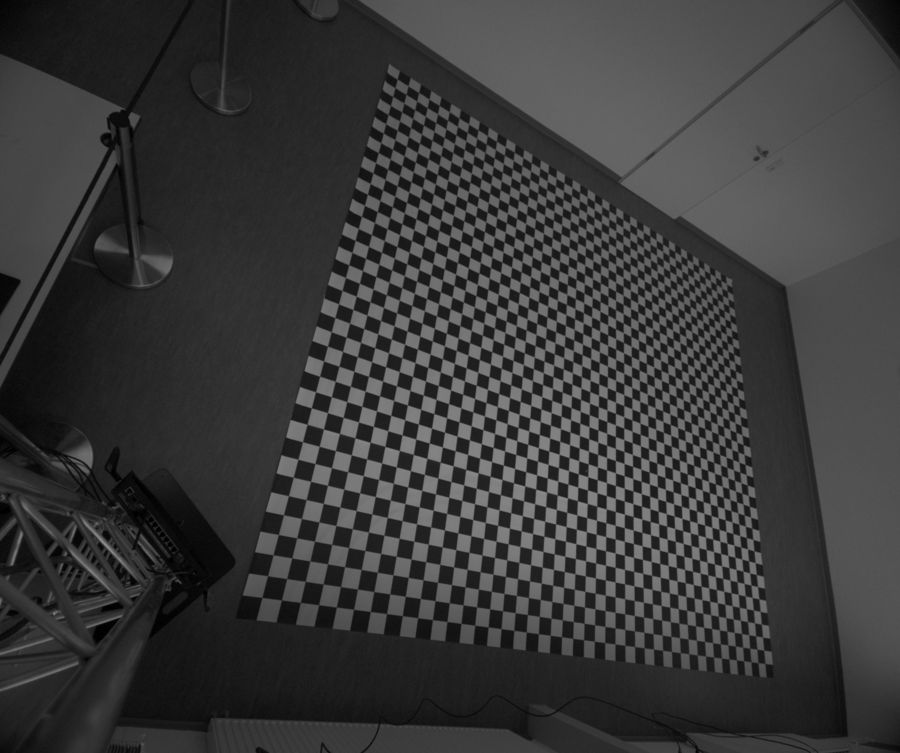
aachen4.png, taken by a camera that looks at the track at an angle from the side of the room:
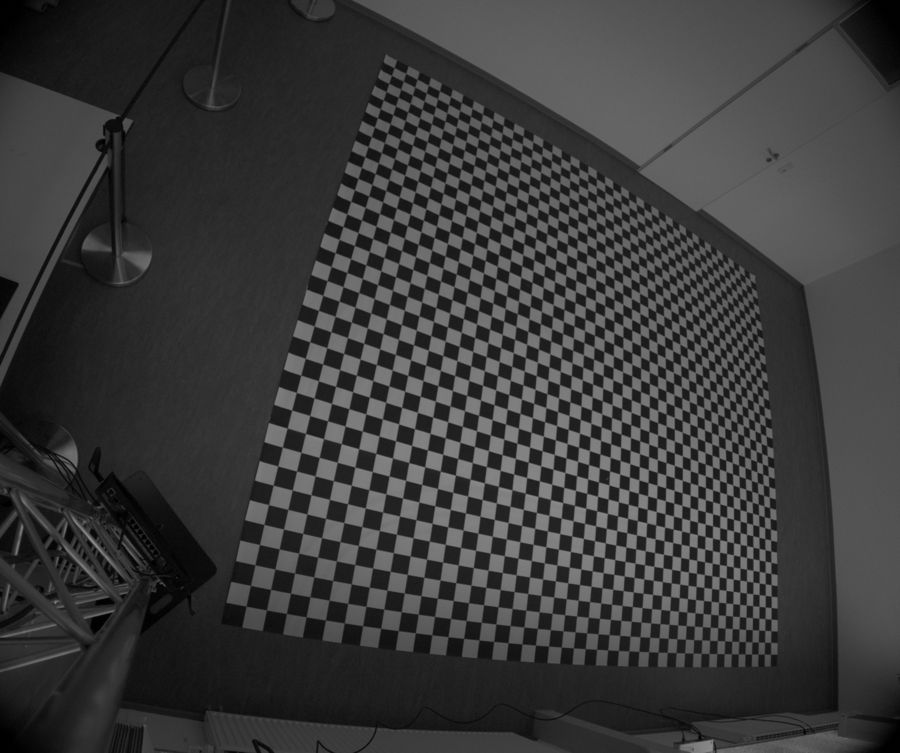
Input image aachen4.png (2448 x 2048 px)
Running the Calibration
Pass image files, directories or quoted glob patterns:
cpm_calibrate aachen4.png
cpm_calibrate ~/ips-images/                         # every image in the directory
cpm_calibrate "ips-images/lab*.png" --reference lab1  # several images, ground plane from lab1.png
cpm_calibrate aachen4.png --quick                   # print the parameters only, write no files
The output for aachen4.png:
╭──────────────────────────── CPM IPS Calibration ─────────────────────────────╮
│ 1 image(s) | board 39 x 44 inner corners | 0.1 m squares                     │
╰──────────────────────────────────────────────────────────────────────────────╯
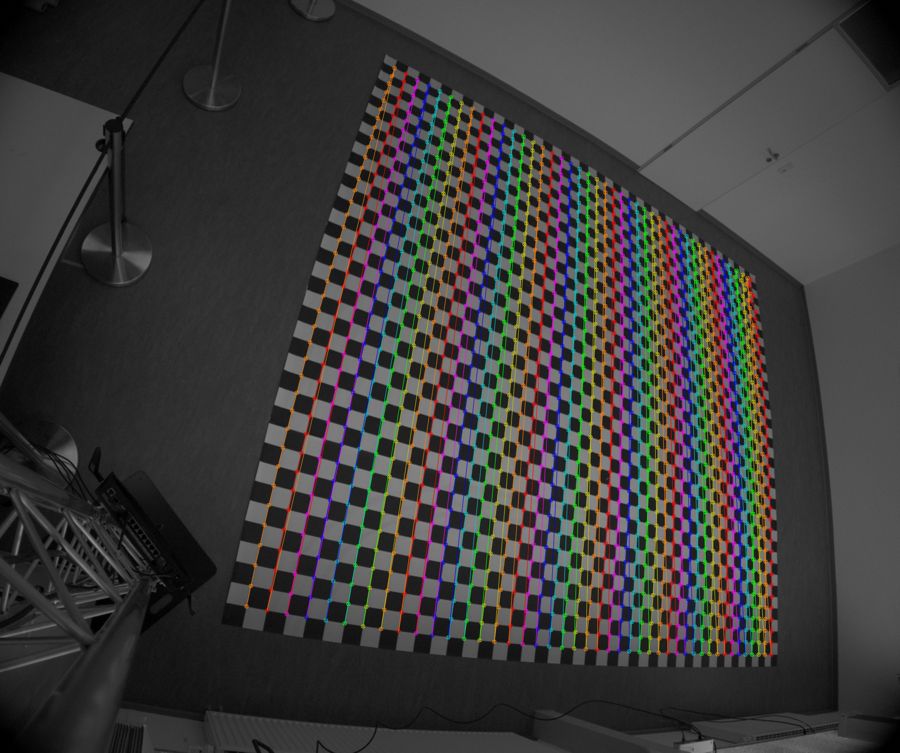
aachen4.png: 1716 corners detected
                                     Images
╭────────┬─────────┬─────────┬────────┬────────┬───────────────────────────────╮
│ Status │ Image   │ Corners │ RMS px │ Max px │ Details                       │
├────────┼─────────┼─────────┼────────┼────────┼───────────────────────────────┤
│ PASS   │ aachen4 │    1716 │  0.777 │  9.819 │ 1716 corners detected         │
╰────────┴─────────┴─────────┴────────┴────────┴───────────────────────────────╯
─────────────────── IPS node parameters (reference: aachen4) ───────────────────
/**:
  ros__parameters:
    point_undistortion_camera_matrix: [1.4838897847e+03, 0.0000000000e+00, 1.2139238034e+03, 0.0000000000e+00, 1.4877144539e+03, 1.0314129229e+03, 0.0000000000e+00, 0.0000000000e+00, 1.0000000000e+00]
    point_undistortion_distortion_coefficients: [-2.2826712717e-01, 7.3522334768e-02, 0.0000000000e+00, 0.0000000000e+00, 0.0000000000e+00]
    point_projection_rotation_vector: [-6.5780151189e-01, -7.9950173104e-02, 1.7589867966e+00]
    point_projection_translation_vector: [3.4517119510e+00, -1.1518267204e+00, 5.6037565005e+00]
────────────────────────────────────────────────────────────────────────────────
Image size 2448x2048 px | 1/1 images used | RMS 0.7766 px | camera at x 3.713 m,
y 4.822 m, z -2.758 m
╭──────────────────────────────────────────────────────────────────────────────╮
│ PASS: 2 passed, 0 failed                                                     │
╰──────────────────────────────────────────────────────────────────────────────╯
Parameters: /home/cpm/cpm_lab/calibrations/20261105T210605Z_6acb50ab.../ips_calibration.yaml
Output: /home/cpm/cpm_lab/calibrations/20261105T210605Z_6acb50ab...
How to read it:
Images table: one row per image.
PASSmeans the board was found; RMS and Max are the mean and the largest distance in pixels between the detected corners and the corners reprojected with the result.IPS node parameters: the four parameters for the IPS configuration, see Using the Calibration. The values are written in exponent notation, so ROS reads them as floating-point arrays.
Summary line: image size, number of images used, the overall RMS and the camera position in board coordinates. The z axis of the board points into the floor, so the camera height is
-z, here 2.76 m; x and y place it near a corner of the board, which matches the oblique view. Compare the position with the measured mounting position (see Checking the Result).Result panel: every image and the RMS limit are checks; all passed. The RMS of 0.78 px is below the limit of 1.0 px; the larger maximum error (9.8 px) comes from the far, strongly foreshortened end of the board.
Output Files
Unless --quick is set, every run creates a new directory <time>_<id>/ under ~/cpm_lab/calibrations (or
$CPM_LAB_HOME/calibrations, or --output-root), so earlier results are never overwritten:
File |
Content |
|---|---|
|
The parameter block above. |
|
Options, OpenCV version, intrinsics, the pose and errors of every image, the checks and the extent of the projected ground area. Keep it to document the calibration. |
|
The detected corners drawn on the image. |
|
The image with the lens distortion removed. |
|
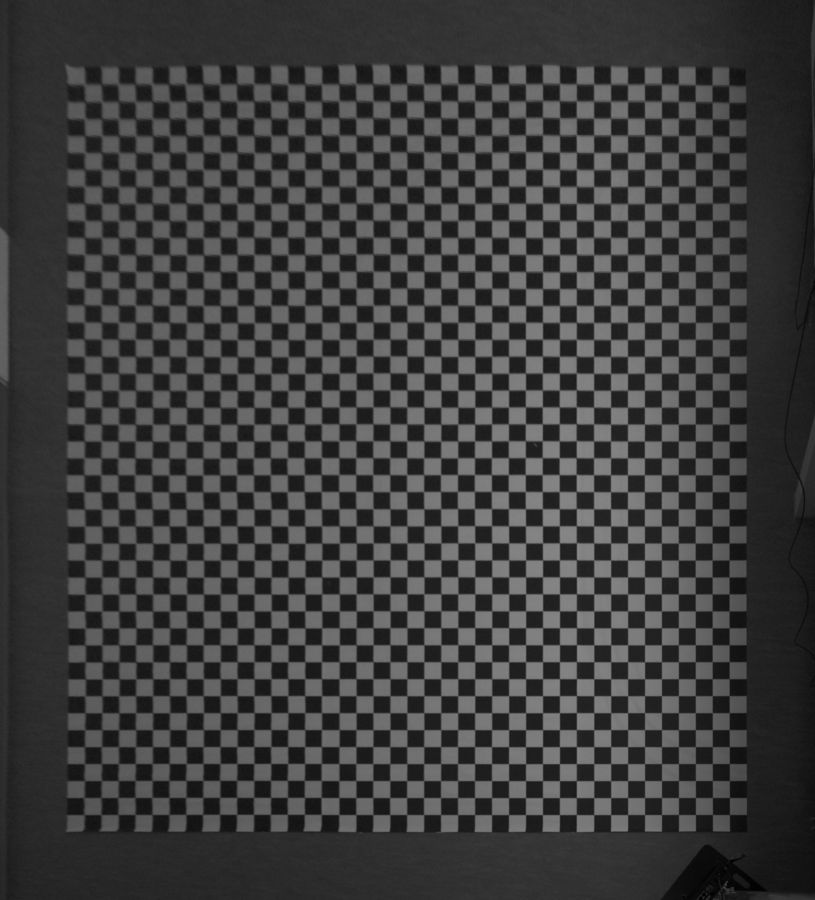
Bird’s-eye view of the floor with the pose of the reference image: the board plus |
|
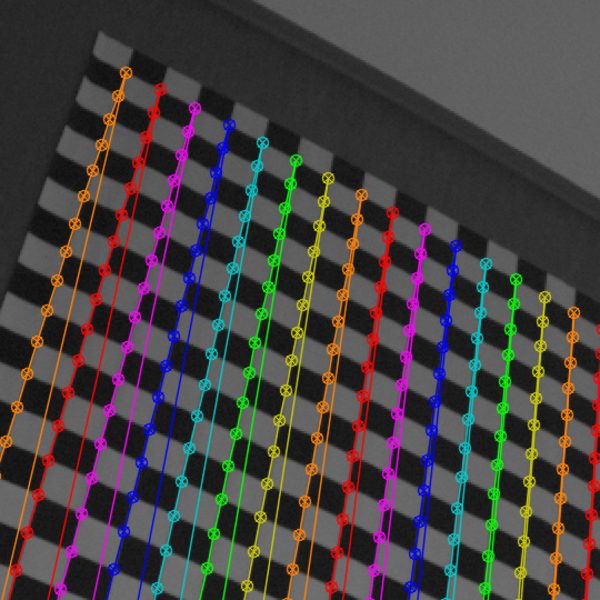
Close-up of the upper left corner of the board |
|
|
Checking the Result
RMS: the overall RMS must be below
--max-rms(1.0 px by default); good calibrations reach 0.2 to 0.5 px. A single image with a much larger error than the others usually has a wrongly detected board, a different camera or a moved camera.Projected image: all squares of the board must be equally sized squares, also at the edges of the image.
Camera height:
-zshould match the measured height of the camera above the floor within a few centimeters. With a single image of a board lying flat, focal length and height are hard to separate: a too long focal length and a too large height produce almost the same image. If the height does not match, add images in which the board lies in different parts of the field of view or is tilted, e.g. leaned against a box, and keep the image with the board flat on the floor as--reference.
Mixing images of different cameras is the most common mistake. The images aachen*.png of the sample set, for
example, were taken with different camera setups at the same resolution; aachen4.png alone calibrates fine. Calibrated together, the board is found in 5
of 7 images (aachen3_1 and aachen3_1_color contain no complete 39 x 44 board), but the RMS is 17.7 px and
cpm_calibrate fails:
FAIL: Detect aachen3_1: No 39x44 checkerboard found
FAIL: Detect aachen3_1_color: No 39x44 checkerboard found
FAIL: Reprojection RMS: 17.6614 px (limit 1.0 px)
╭──────────────────────────────────────────────────────────────────────────────╮
│ FAIL: 5 passed, 3 failed                                                     │
╰──────────────────────────────────────────────────────────────────────────────╯
cpm_calibrate exits with 0 if all checks pass, with 2 if an image has no board or the RMS exceeds the limit
(the parameters and files are still written), and with 1 on errors, e.g. invalid options, inputs without images,
duplicate image names, no board in any image, mixed resolutions or an unknown --reference.
Options
Option |
Description |
|---|---|
|
Number of inner corners of the board. Default: |
|
Size of one square in meters. Default: |
|
Image (file name or stem) whose board pose defines the ground plane. Default: the first image with a detected board, in name order. |
|
Maximum accepted overall reprojection error in pixels. Default: |
|
Margin around the board in the projected image. Default: |
|
Directory for the results. Default: |
|
Number of worker processes. Default: one per CPU; |
|
Print the parameters only and write no files. |
Set NO_COLOR to disable colors. Redirected output prints one line per image instead of progress bars.
Using the Calibration
ips_calibration.yaml only contains the four calibration parameters; the IPS also needs the camera, LED and tracking
settings of a full configuration. Copy the configuration of a lab with a similar camera from the
config/ directory of the package cpm_lab_indoor_positioning_system (e.g.
/opt/ros/jazzy/share/cpm_lab_indoor_positioning_system/config/aachen4.yaml) to ~/cpm_lab/ips/ under the name
of your lab, and replace the four parameters with the printed ones:
mkdir -p ~/cpm_lab/ips
cp /opt/ros/jazzy/share/cpm_lab_indoor_positioning_system/config/aachen4.yaml ~/cpm_lab/ips/mylab.yaml
# replace point_undistortion_* and point_projection_* in ~/cpm_lab/ips/mylab.yaml
The Control Center lists mylab.yaml next to the packaged configurations, without rebuilding, see
Your Own Maps and IPS Configurations. Start the IPS with it and check with a muCar on the track that its position in RViz
matches its position on the floor, also at the edges of the track.